 On the App Store
Shoot. Grade. Export.
Without leaving the app.
Most camera apps hand you a flat log file and wish you luck. This one takes you all the way: record, color it with one tap, export the finished video. No desktop, no round trip, no menus.
Download on the App Store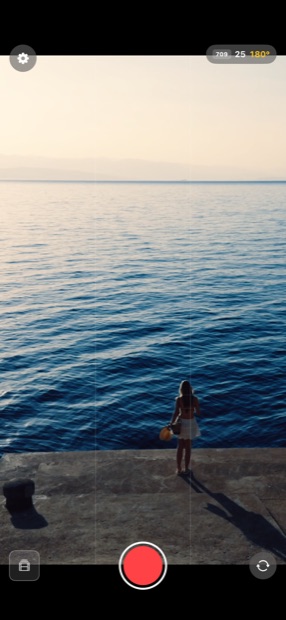
You frame through the finished look. The file it records stays flat and clean.
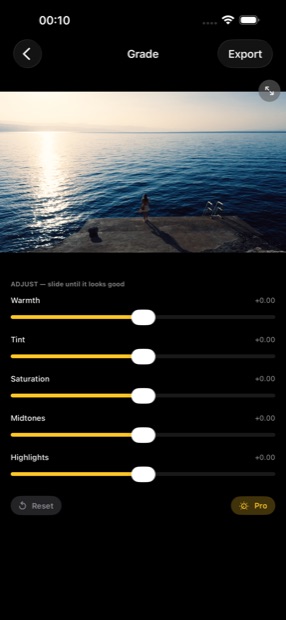
One tap puts the OneClickLUT look on the clip. Five sliders make it yours.
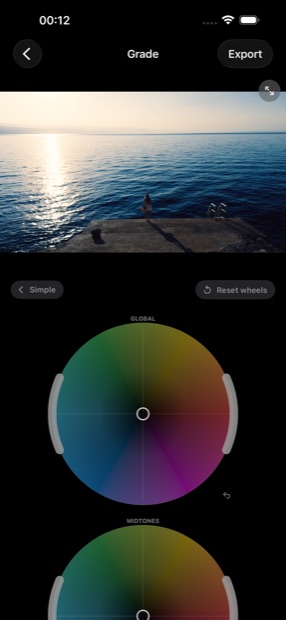
Pro mode opens full color wheels, working on the log image under the LUT.
What is in the box
Apple Log capture
10-bit Apple Log on iPhone 15 Pro and newer. Every other iPhone records Rec.709, and it just works.
A real monitoring LUT
The viewfinder shows OneClickLUT color while the recording stays flat, which is exactly what you want for grading.
Automatic 180° shutter
Natural motion blur without doing the math, with a low-light ladder that gives up brightness before it gives up the look.
Teleprompter built in
Your script over the selfie camera, scrolling along as you speak, transparent enough to still see yourself in frame.
Grade it right here
Five sliders for taste, full color wheels for control. Both work on the log image underneath the LUT, like a real color pipeline.
Made to stay out of the way
Zebras, grid and level always on. Swipe down for a clean viewfinder: just the image and the record button.
What it costs
The app is free, and the camera side stays that way. Film as much as you like, watch the live OneClickLUT preview while you do it, and keep every original on your iPhone or straight onto a USB-C SSD, yours to take into Final Cut or Resolve whenever you want.
Export Unlock is the one paid feature: it renders the graded file with the look baked in. One purchase, every clip, every future update. No subscription.
The small print
Requires iOS 17 or later. Apple Log capture needs an iPhone 15 Pro or newer; other models record in Rec.709.
ProRes RAW keeps the untouched sensor image and, by Apple's rule, records only onto a connected USB-C SSD. HEVC is the everyday choice and grades and exports right inside the app.
The app has no accounts, no tracking and no ads. Your clips stay on your device.